How to Play on Controller in just volleyball: Gamepad Keybinds Guide
Complete controller configuration, stick aiming, and button mappings for Xbox and Playstation gamepads in just volleyball.
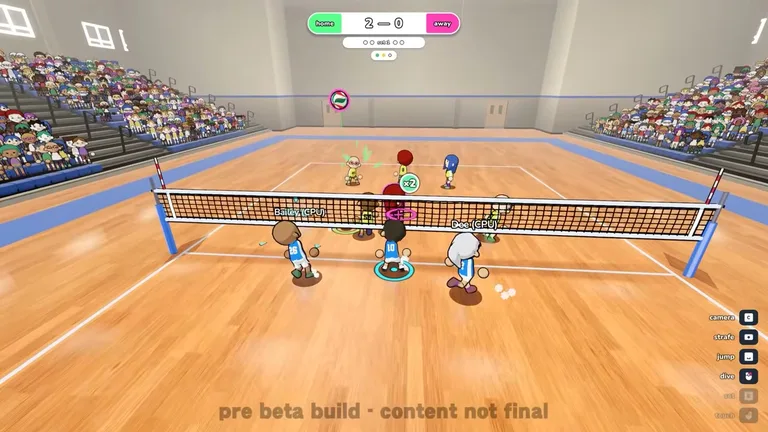
Gamepad Button Layout and Core Actions
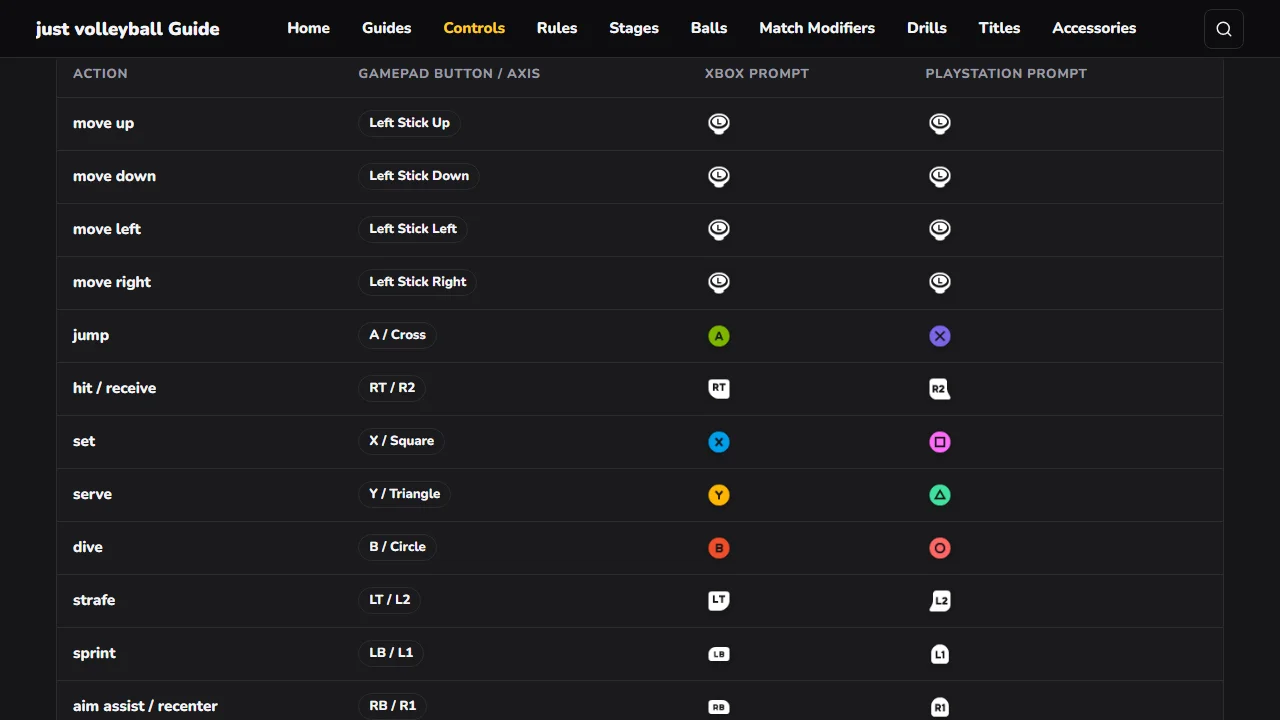
Primary ball contact is mapped to RT / R2 triggers on gamepads. Jumping is assigned to the A / Cross face button. Setting overhead passes uses the X / Square button. Defensive diving is executed by pressing B / Circle. Serving is triggered with the Y / Triangle button on controllers. For an end-to-end breakdown of basic match flow and positions, read our beginner’s guide.
Stick Aiming and Movement Controls
Players activate strafe movement by holding LT / L2 for positioning. Sprinting across the floor is bound to LB / L1 bumpers. On gamepads, targeting is guided with stick aiming and remains positioned wherever it is left. In just volleyball, button prompts displayed during play adapt automatically according to your active profile binds. To reset your aiming reticle instantly during high-speed rallies, check our guide on how to recentre aim.